Illustrator CS6 Tutorial: Create 3D Vector Retro Badge

Illustrator CS6 Tutorial: Create 3D Vector Retro Badge

Posted by on Oct 15, 2012 in Illustrator

Creating a vector badge in Photoshop or Illustrator for beginners are popular on design community. But giving a 3D depth to the vector badge is new and can be achieved in few steps. Author can makes the tutorial as basic as simple or complicated depends on the designer who is writing. We always try to make it short and detail, so that new designers or other readers can achieve it. I am using Adobe Illustrator CS6 version(demo), Created this vector retro badge in less than 3...

Quick-Tip: Valentine’s Adorable Bunny Adobe Vector Tutorial

Quick-Tip: Valentine’s Adorable Bunny Adobe Vector Tutorial

Posted by on Feb 13, 2012 in Illustrator, Quick-Tip

First, I wish you a happy Valentines’ day wishes to my readers and new readers. Have Love and affection with your mate and throughout Year. Today we are going to create a simple adorable bunny for the occasion of Valentine’s Day! Wallpapers will available in next post – Stay tuned Step:1 Create a Circle by pressing (L) or click from the Tool menu ->Ellipse tool. Now you can Press (A) anchor-point shortcut key or the second menu in the toolbox. Now click on the Anchor...

Create Vector Twitter bird in 5 steps

Create Vector Twitter bird in 5 steps

Posted by on Mar 5, 2010 in Illustrator, Tutorial

Today we show you how to create a twitter icon bird in illustrator. Twitter is a powerful micro blogging, which crossed above 10th billionth tweets two days before. So tribute to the twitter we go through how to make them. We have already given the icon pack, this tutorial request from readers/friends asked me to write –this bird drawn using with pen tool. So digg in to the tutorial. Tutorial Details : 1. Software Used : IllustratorCS4 2. Tools : Pen tool(p) and Gradient...

Xmas Special | Create Xmas Ball in 5 Steps

Xmas Special | Create Xmas Ball in 5 Steps

Posted by on Dec 25, 2009 in Illustrator

Its Christmas today and everyone busy with holiday woks and purchase, so i created a very simple tutorial on creating a Xmas ball in 5 steps, Any how you can download the source file in our last post, here you can learn how to create it simple now. Step :1 Create a document 300*300px and draw a circle of 150px, the size of the document and circle dimension is your choice. Tip:To create a document use Ctrl+N or file -> new Step: 1-a, Fill it with Gradient #RGB – 29,172,67...

Christmas Ornaments | Vector Pack #1

Christmas Ornaments | Vector Pack #1

Posted by on Dec 16, 2009 in Freebies, Icons, Illustrator

Today`s freebie will Christmas Ornaments vector pack #1 Christmas is near and this Xmas is first one after starting my blog, so i made icons for this occasion in vector format. This file contains 20 glossy vector Christmas ornaments. With stars in between them. You can edit and use this freebie for personal and commercial purpose without any restriction, however you cannot Re-distribute. If you like these icons you can share in your post and link back to here, so that user...

Create circular pattern using stroke in IllustratorCS4 part-I

Create circular pattern using stroke in IllustratorCS4 part-I

Posted by on Oct 26, 2009 in Illustrator, Tutorial

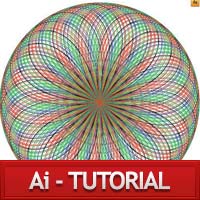
In this tutorial, i will teach you how to create a circular pattern using only through circle outline/stroke. With the help of Liquify tool, Rotate tool and average tool option. I made this tutorial into parts. So user can practices on few tool first then, ill show you how to make patterns and using them to make a brush. I made so many brush which i name it as freestyle. After completing the tutorial .ill give the brush for illustrator. And this technique can be implemented...