Photoshop Design Tutorial: 60′s Retro Poster Style

Photoshop Design Tutorial: 60′s Retro Poster Style

Posted by on May 10, 2012 in Photoshop

Today’s Photoshop Tutorial on Graphic and webdesign blog is “60′s Retro style poster design” by Kate, a new author to our blog. Welcome Kate Manhaven. You can write Tutorials, Contribute with Freebies or Roundup Inspiration post which should be beneficial for our readers. If you want a 60’s themed poster with all the distinct font, color and graphic effects reminiscent of that era then this guide is what you need. I will show you how you can design a...

Photography Tutorial: 10 Photo Composition Tips

Photography Tutorial: 10 Photo Composition Tips

Posted by on May 4, 2012 in Photography, Quick-Tip

Today’s Post on “Photography Tutorial” written by new guest author. Taking photographs is harder than you think. The point and shoot method rarely works, unless by some miracle you have an inherent eye for photography. For those who require a little more guidance, or would appreciate a little advice, consider these ten photo composition tips. Taking photographs is harder than you think. The point and shoot method rarely works, unless by some miracle you...

Photoshop Tutorial: Create a Fashion Show Poster

Photoshop Tutorial: Create a Fashion Show Poster

Posted by on Feb 26, 2012 in Photoshop, Tutorial

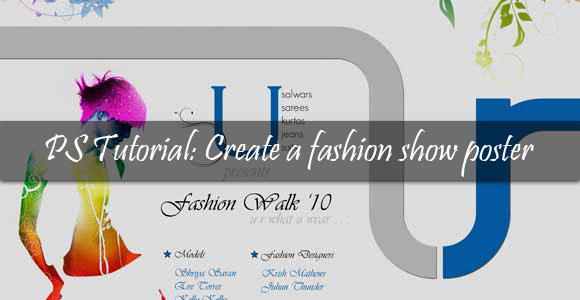
Hi and hello to everybody. Today’s tutorial is regarding how to create a striking poster for a fashion show. You can use this even for your college cultural program. This is simple yet good looking one. The steps that are involved in this tutorial are of much use. Preview Step 1 Open a new document of A4 size in landscape mode. Fill the background with “f5f5f5” this color. Step 2 Drag drop guide lines like this. The difference between the vertical and horizontal guidelines...

Quick-Tip: Valentine’s Adorable Bunny Adobe Vector Tutorial

Quick-Tip: Valentine’s Adorable Bunny Adobe Vector Tutorial

Posted by on Feb 13, 2012 in Illustrator, Quick-Tip

First, I wish you a happy Valentines’ day wishes to my readers and new readers. Have Love and affection with your mate and throughout Year. Today we are going to create a simple adorable bunny for the occasion of Valentine’s Day! Wallpapers will available in next post – Stay tuned Step:1 Create a Circle by pressing (L) or click from the Tool menu ->Ellipse tool. Now you can Press (A) anchor-point shortcut key or the second menu in the toolbox. Now click on the Anchor...

Quick Tip: Create Photo Effects without any Photoshop-Actions in Photoshop #1

Quick Tip: Create Photo Effects without any Photoshop-Actions in Photoshop #1

Posted by on Aug 8, 2011 in Quick-Tip

Today I’ll Write a quick-tip on creating a photo effect using Photoshop without any built-in Photoshop action. Usually Photoshop actions are time saver for Designers and there are lots of Free and premium Photoshop plug-in found in the internet. Instead of depend on others action you can create your own photo effects. After this Photo effect series, we will teach you how to create Photoshop action plug-in in two series. One for Basic learners and the second one with...