AnimHuT
  • Articles
    • Other Topics
    • Picture Of The Day
    • Review
    • Viral Videos
  • Contest
  • Freebies
    • Brushes
    • Font
    • Icons
    • Infographics
    • Patterns
    • Photoshop PSD
    • Textures
    • VECTORS
    • Wallpaper
  • Inspiration
  • Photography
  • Themes
    • Plug-ins
    • WordPress Themes
  • Tutorial
    • After Effects
    • Codex
    • Flash
    • Illustrator
    • Photoshop
      • Text Effects
    • Quick-Tip
Home » Photoshop » Photoshop Tutorial: How to create a planet from scratch
Jul26 14
Photoshop Tutorial: How to create a planet from scratch

Photoshop Tutorial: How to create a planet from scratch

Posted by Sipi Sagar in Photoshop

email
print

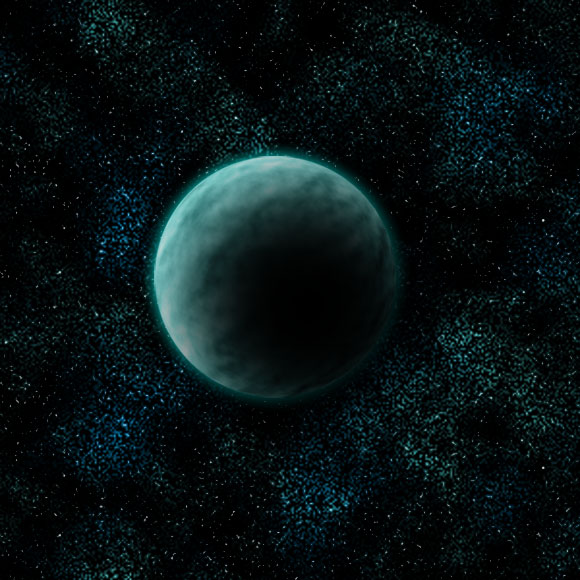
In this tutorial we are going to see how to create a planet from scratch. It’s really very easy and involves very few steps only. This is how the final output looks.

PREVIEW
Step 1

Open a document of any size you desire with a black background.

Step 2

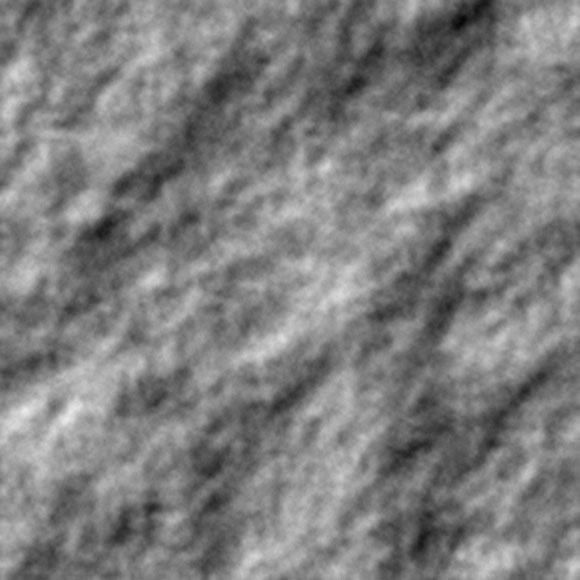
Create a new layer. Press D to set foreground and background color to set as black and white respectively. Press X to swap foreground and background colors. Now go to Filter-> Render-> Clouds.

Step 3

Now go to Filter->Stylize->Emboss and give any value that will satisfy you and this is the output you will get.
Step 4

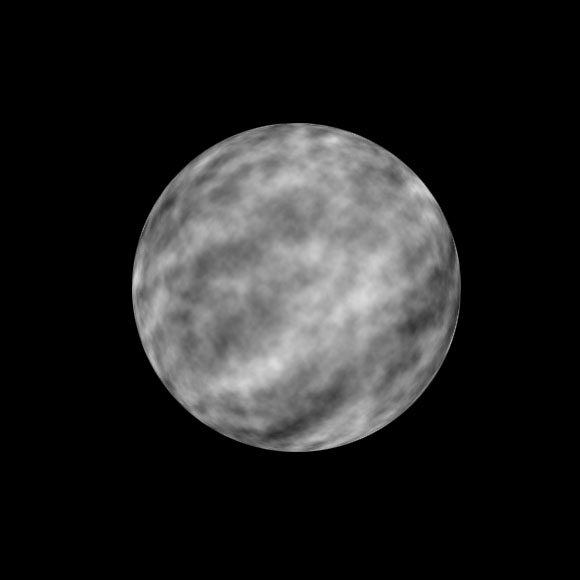
Now make a circular selection in the center and press Ctrl+Shift+I to make inverse selection and delete that part. Now again press Ctrl+Shift+I to reselect the same circular region and now apply Filter-> Distort -> Spherize. You will be getting something similar to this.
Step 5

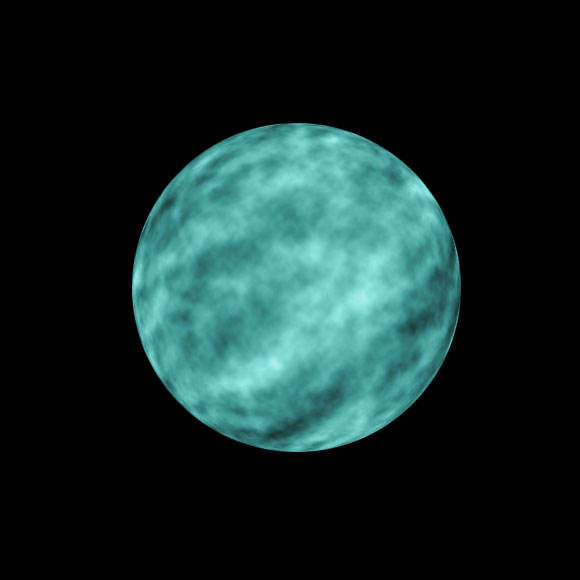
Now go to layer styles and apply the following layer styles.

This is the output you will be getting.
Step 6

Now create a new layer create another circle of lesser size than the planet and fill it with black. Move it to a corner of the planet.

Step 7

Now apply Filter-> Blur-> Gaussian Blur to a value of 30-45 and adjust it back to the corner so that you get something like this.
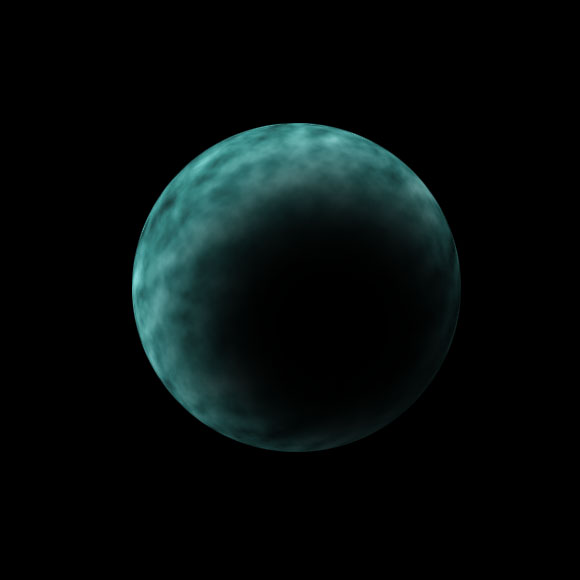
Step 8

Now go back to the layer in which the planet is available. Choose the dodge tool and dodge the corners of the planet where it is lighted to create more highlights. This is how it should look after dodging the corners.

Therefore, your planet is ready.
Corollary: If you want you can give a mild outer glow around the planet to give more pleasing effect.
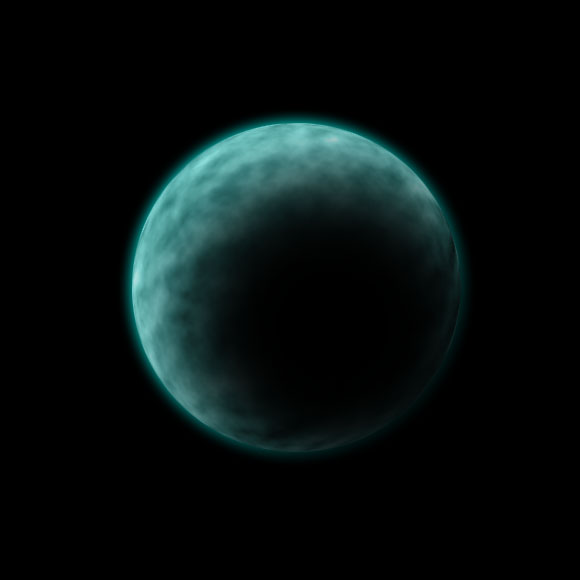
To create nebula background or a space scene I have already given a tutorial and it is available here.

Final Output


BOOKMARK OR SHARE THIS TUTORIAL


0

About Sipi Sagar

Currently working as a corporate trainer for various international companies and universities or schools that deal with business, design, advertising and media and now have got settled as a permanent faculty at Arena Animation Academy, Koramangala. Also working as a freelancer in web designing for the past 2 years. Specialized in web designing, flash applications and 3d architecture.

  • bob low

    Sure why not copy Chris Spooner -.-

    • http://www.animhut.com/ Sri Ganesh.M

      Welcome to AnimHuT.
      Ha ha Bob,
      I think you should read the Chris spooner tutorial and this tutorial once more. you will come to know. and did you see, we have appreciated the way he created the tutorial in new way in his comment. And this tutorial is to create a planet from scratch. we didnt use any stock images. and its totally different.
      I think you are new to hear, we have wrote all our own tutorials from our team members. We hate plagiarism too as much you do :P , Before commenting on the post- you should read the both post.
      Thank you
      AnimHuT Team

    • Sipi Sagar

      Hi bob low, i haven’t copied any tutorial as you have told and there is no necessary for me to do that. This post was already scheduled by me for today and was created by me long back.

      I just now searched and found the tut that you have told, there he has done it with the help of textures but this one is from the scratch. There may be some similarities but we can’t avoid it because there is no other way to achieve the shadow effect in easy steps.

    • Stratos

      Of course, it’s not a tutorial like Chris Spooner’s, there are lots of differences.

  • karthikeyan

    wow wow wow, its so eye pleasing bro. very good tutorial.

    • Sipi Sagar

      Thank you karthi, expecting something from you also.

  • http://www.tutoriallounge.com Tutorial Lounge

    short but useful tutorial. thanks

    • Sipi Sagar

      Hi Tutorial Lounge, i am really happy to get comments from such a big site. I visited your site its really damn good.

  • http://www.lucascobb.com Lucas Cobb Design

    Way to go on this tutorial Sipi, planet looks good man. The shadow is everything.

    • Sipi Sagar

      Lucas Cobb, i am really happy to have you as a regular visitor and for your regular comments. Thanks man. Thank you very much

  • Pingback: You are now listed on FAQPAL

  • Pingback: 115+ Fresh Useful Articles for Web Designers and Developers | tripwire magazine

  • http://www.limwebdesign.com/ Web Design Albuquerque

    hi this tutorial is very helpful for just start designing so thanks
    for posting.

  • http://www.equifitnessrehab.com/ Horse chiropractic

    good information about How to create a planet from scratch thanks.

  • http://redstagranch.net/ Texas Whitetail Hunting

    Great post but i want to need some basic information about Photoshop so can you more information about Photoshop in next post thanks.

  • http://www.brettwidmann.com Brett Widmann

    This is a really great tutorial! Thanks for sharing.

  • Pingback: Japan 8.9 “Pray for No More” Poster on 50th Day | AnimHuT

  • Pingback: Design NEWZ Community Links for Dec01-15 | AnimHuT

Our Advertisers :

Subscribe to AnimHuT (it’s Free)

Add Animhut on  Google plus animhut Free  Email Subscription for design updates animhut on twitter Animhut rss subscription for latest Updates Join our Official  Facebook Page Animhut Flickr Pool

Our Facebook Official Page
Follow @animhut

Archives

Community News

  • 24 Creative Newsletter Designs for Your Inspiration

    Here’s a collection of creative newsletter designs which should give you a ton of ideas and inspiration!

  • Beautiful Examples of Macro Photography

    Macro photography is taking close-up photographs of small object at greater than life size. This is one of my favorite…

  • 50 Beautiful Flowers Photography

    Spring is the time when beautiful flowers blossom and the perfect time to enjoy the beauty of nature. In north,…

  • 10 Websites to Download Free Fonts

    We all now how hard it is to find that perfect font for your graphic design project but whatever your…

  • Effects of User Behavioral Data & User Actions on Google

    Google is using this knowledge to prioritize the search results and to assign the PageRank to Websites. There is a…

●● We Recommended ●●


● Best Web Hosting Review
● Best Web Host Companies
● Review BlueHost
● China wholesale
● factory
● Free Website Design
● Website builder
●Mactheripper
● Coupon Codes
• Freelance Web Designer
• Direct TV Packages
● InternetPhonePackage.com
•Best WordPress Themes
•iPage Web Hosting
● Web Hosting Services
●Youtube to MP3

Search by Tags

ANIMHUT art history Articles caricature character design Contest Daily Photography Daily photos design history digital painting Flickr Freebies Funny Videos google doodles graphic design Icons illustration Illustrator InfoGraphics Inspiration Inspriation mascot Patterns Photography Photogrphy Photoshop Photoshop tutorial picture of the day Poster Project365 Quick-Tip Review roundup sriganesh stock image stress buster Texture Tutorial twitter VECTORS Videos Viral Video Wallpaper Wordpress wordpress theme

Hall of Fame :

Friends

  • AdmixWeb
  • ArtAtm
  • BloggerJet
  • CreativeOverflow
  • DesignModo
  • Designrfix
  • Desizntech
  • Graphik Design Agency
  • Logolitic
  • Orphicpixel
  • premiumpress coupon code
  • Skyje
  • Smashingshare
  • Underworldmagazines
  • Visionwidget
  • Webdesignfan
  • Webexpedition18

Pages

  • DESIGN NEWS
  • Who We are ?
    • Authors
  • | CONTACT |
  • Site Map
  • Follow us
    • Google +
    • Like AnimHuT fan page
    • @animhut (Twitter)
    • StumbleUpon Profile
    • Add me on Facebook

© 2009-2012 AnimHuT | Designed by Elegant Themes | Powered by WordPress| Sherweb
